12. Databinding Idling Resource
L5 P4 A10 Data Binding Idling Resource V2
In this step, you'll add a custom idling resource for data binding. Espresso uses a different mechanism than data binding, the Choreographer class, to synchronize its view updates, so it is not aware of data binding changes.
Step 1: Write DataBindingIdlingResource
- Make a new util package in the androidTest source set.
- Make a new class DataBindingIdlingResource.kt in androidTest > util:
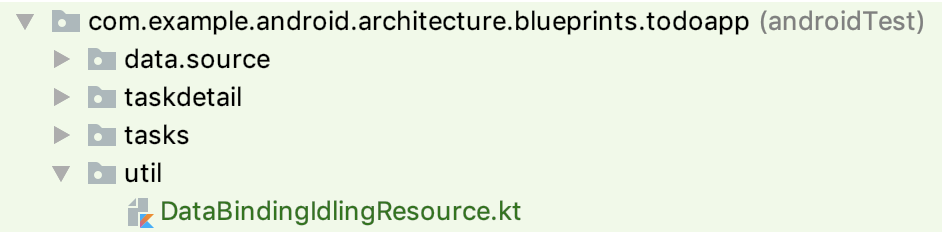
- Copy the following code into your new class:
DataBindingIdlingResource.kt
class DataBindingIdlingResource : IdlingResource {
    // List of registered callbacks
    private val idlingCallbacks = mutableListOf<IdlingResource.ResourceCallback>()
    // Give it a unique id to work around an Espresso bug where you cannot register/unregister
    // an idling resource with the same name.
    private val id = UUID.randomUUID().toString()
    // Holds whether isIdle was called and the result was false. We track this to avoid calling
    // onTransitionToIdle callbacks if Espresso never thought we were idle in the first place.
    private var wasNotIdle = false

    lateinit var activity: FragmentActivity

    override fun getName() = "DataBinding $id"

    override fun isIdleNow(): Boolean {
        val idle = !getBindings().any { it.hasPendingBindings() }
        @Suppress("LiftReturnOrAssignment")
        if (idle) {
            if (wasNotIdle) {
                // Notify observers to avoid Espresso race detector.
                idlingCallbacks.forEach { it.onTransitionToIdle() }
            }
            wasNotIdle = false
        } else {
            wasNotIdle = true
            // Check next frame.
            activity.findViewById<View>(android.R.id.content).postDelayed({
                isIdleNow
            }, 16)
        }
        return idle
    }

    override fun registerIdleTransitionCallback(callback: IdlingResource.ResourceCallback) {
        idlingCallbacks.add(callback)
    }

    /**
     * Find all binding classes in all currently available fragments.
     */
    private fun getBindings(): List<ViewDataBinding> {
        val fragments = (activity as? FragmentActivity)
            ?.supportFragmentManager
            ?.fragments

        val bindings =
            fragments?.mapNotNull {
                it.view?.getBinding()
            } ?: emptyList()
        val childrenBindings = fragments?.flatMap { it.childFragmentManager.fragments }
            ?.mapNotNull { it.view?.getBinding() } ?: emptyList()

        return bindings + childrenBindings
    }
}

private fun View.getBinding(): ViewDataBinding? = DataBindingUtil.getBinding(this)

/**
 * Sets the activity from an [ActivityScenario] to be used from [DataBindingIdlingResource].
 */
fun DataBindingIdlingResource.monitorActivity(
    activityScenario: ActivityScenario<out FragmentActivity>
) {
    activityScenario.onActivity {
        this.activity = it
    }
}

/**
 * Sets the fragment from a [FragmentScenario] to be used from [DataBindingIdlingResource].
 */
fun DataBindingIdlingResource.monitorFragment(fragmentScenario: FragmentScenario<out Fragment>) {
    fragmentScenario.onFragment {
        this.activity = it.requireActivity()
    }
}